
关于
Niu Lai for FoloToy AI Passport
English | 简体中文


An offline interactive “Niu Lai” soundboard for the ESP32-C3-based FoloToy AI Passport. It combines character animation, dialogue playback, battery status, volume control, and user-recorded replacement voices in one small firmware image.
Important
This is an unofficial fan prototype. The MIT license covers the source code only. Movie images and audio may have separate rights; review the asset source and distribution notice before redistributing firmware or media.
Features
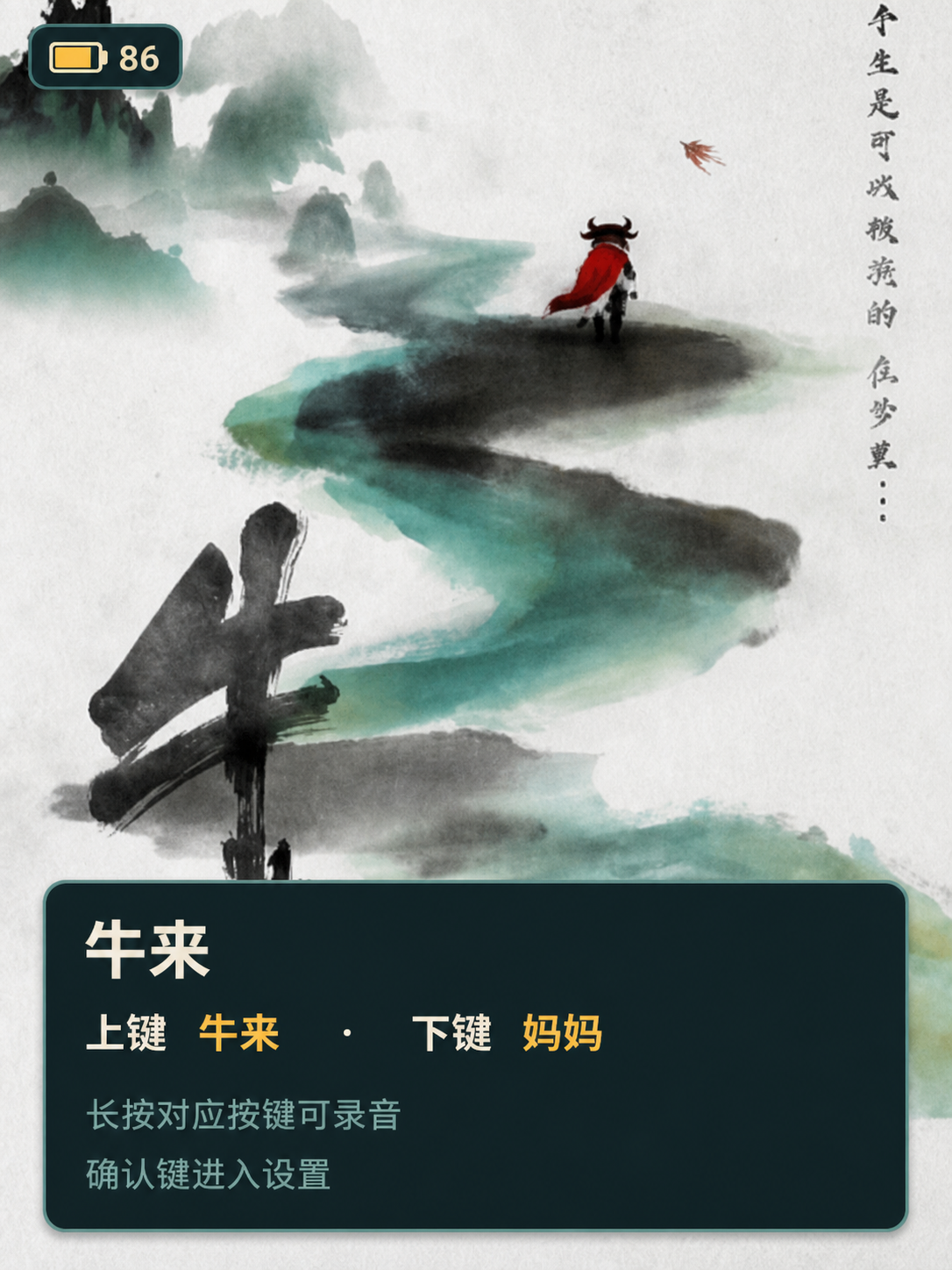
- Full-screen poster and two-frame Niu Lai/Mama animations.
- Built-in dialogue with adjustable playback volume.
- Up to 10 seconds of replacement voice recording per character.
- Saved recordings survive restarts, and an interrupted save keeps the previous recording intact.
- Custom-voice animations stop when the recorded voice finishes.
- iOS-style battery indicator with a voltage fallback when CW2017 SOC is unavailable.
- Three-button UI; no network or account is required.
Controls
| Input | Context | Action |
|---|---|---|
Short UP | Any non-settings page | Show Niu Lai and play “Mama~~” |
Short DOWN | Any non-settings page | Show Mama and play “Niu Lai!” |
Repeat UP or DOWN within 1.8 s | Any non-settings page | Intensify that character's caption and animation |
Alternate UP and DOWN within 1.8 s | Any non-settings page | Flash both character colors as a call-and-response |
Hold UP, then release | Niu Lai page | Record and save the Niu Lai-page voice |
Hold DOWN, then release | Mama page | Record and save the Mama-page voice |
Short OK | Any non-settings page | Open settings |
Short OK | Settings | Activate/deactivate the selected value, or confirm voice reset |
Short UP or DOWN | Voice-reset confirmation | Cancel the reset |
Hold OK | Settings | Return to the page that opened settings |
Hold OK | Any other page | Stop audio and return home |
The settings footer always shows the current button actions and a second-line
Hold OK to return reminder.
After 30 seconds without input, the LCD backlight turns off without changing the current caption. The next complete button gesture wakes the display without triggering its normal action.
See the user guide for installation, recording behavior, and troubleshooting.
Install a release
Download the newest artifacts from GitHub Releases.
- Flash
*-full.binat address0x0for the first installation or whenever the partition table changes. - Flash
*-app.binat address0x10000only when the device already has this project's partition table. - Verify downloads with
SHA256SUMS.
If recording is unavailable after an app-only update, reinstall with the full image.
Build from source
Requirements: FoloToy AI Passport, USB data cable, Git, and ESP-IDF 5.5.3.
git clone https://github.com/JollySun/folo-ai-passport-niulai.git
cd folo-ai-passport-niulai
source "$HOME/esp/esp-idf/export.sh"
scripts/test.sh
idf.py build
idf.py flash monitor
Detailed setup, packaging, and flashing commands are in Building.
Repository layout
components/bsp/       Board drivers and hardware constants
main/                 Application state, UI, audio, and recording storage
main/assets/niulai/   Firmware-ready RGB565 and PCM assets
assets/niulai/        Human-viewable previews and provenance
tests/                Hardware-independent C tests
scripts/              Test and firmware-packaging entry points
docs/                 User, build, architecture, and hardware documentation
The application keeps hardware-independent state in niulai_model, persistent voice storage in niulai_voice_store, and board access behind the BSP interfaces. See Architecture for the runtime and flash layout.
Development
scripts/test.sh
idf.py build
scripts/package-firmware.sh build dist dev
Pull requests run host tests and a complete ESP-IDF build. Tags matching v* create a GitHub Release with full, app-only, bootloader, partition-table, and checksum artifacts.
Read Contributing, Security, and the changelog before submitting a change.
License and acknowledgments
Source code is licensed under the MIT License. Media assets are not automatically covered by that license; see SOURCES.md.
Built for the FoloToy AI Passport using ESP-IDF, LVGL, esp_lvgl_port, button, and esp_codec_dev.
截图
特性
一键安装
通过 Web Serial API 在浏览器内直接刷写固件到你的 AI Passport
安装提示
推荐使用 FoloToy 官方 Web 刷机工具 安装固件。
- 首次安装或分区表发生变化:选择
folo-ai-passport-niulai-v0.1.0-full.bin,从地址0x0烧录。 - 已使用本项目分区表:可选择
folo-ai-passport-niulai-v0.1.0-app.bin,从地址0x10000更新。 - 烧录前请使用
SHA256SUMS校验文件完整性。
更新内容
- 设置页新增亮度调节,音量、亮度设置现可持久保存,重启后保留。
- 新增连续/交替按键互动效果,字幕与动画随按键节奏变化。
- 重新设计设置页操作逻辑:单键打开设置、恢复默认声音改为二次确认、长按返回原页面。
- 新增无操作自动息屏省电;修复自定义语音动画未随播放同步停止、设置提示缺字等问题。
- 妈妈内置语音更新为更安静的版本,并压缩了内置语音的存储占用。
注意
代码使用 MIT License;电影图片和音频素材可能受独立权利约束,重新分发前请阅读仓库中的素材说明。
完整变更:https://github.com/JollySun/folo-ai-passport-niulai/compare/v0.0.2...v0.1.0
需要 Chrome/Edge 89+ · 不支持时可查看手动教程
手动安装教程 ↗